A private home for your fountain pen hobby
Your pens and inks, organised.
Catalogue the collection, remember every fill, care for the pens you use and keep the next grail in sight, all on your own device.

No account needed for local app use
No advertising
Local-first
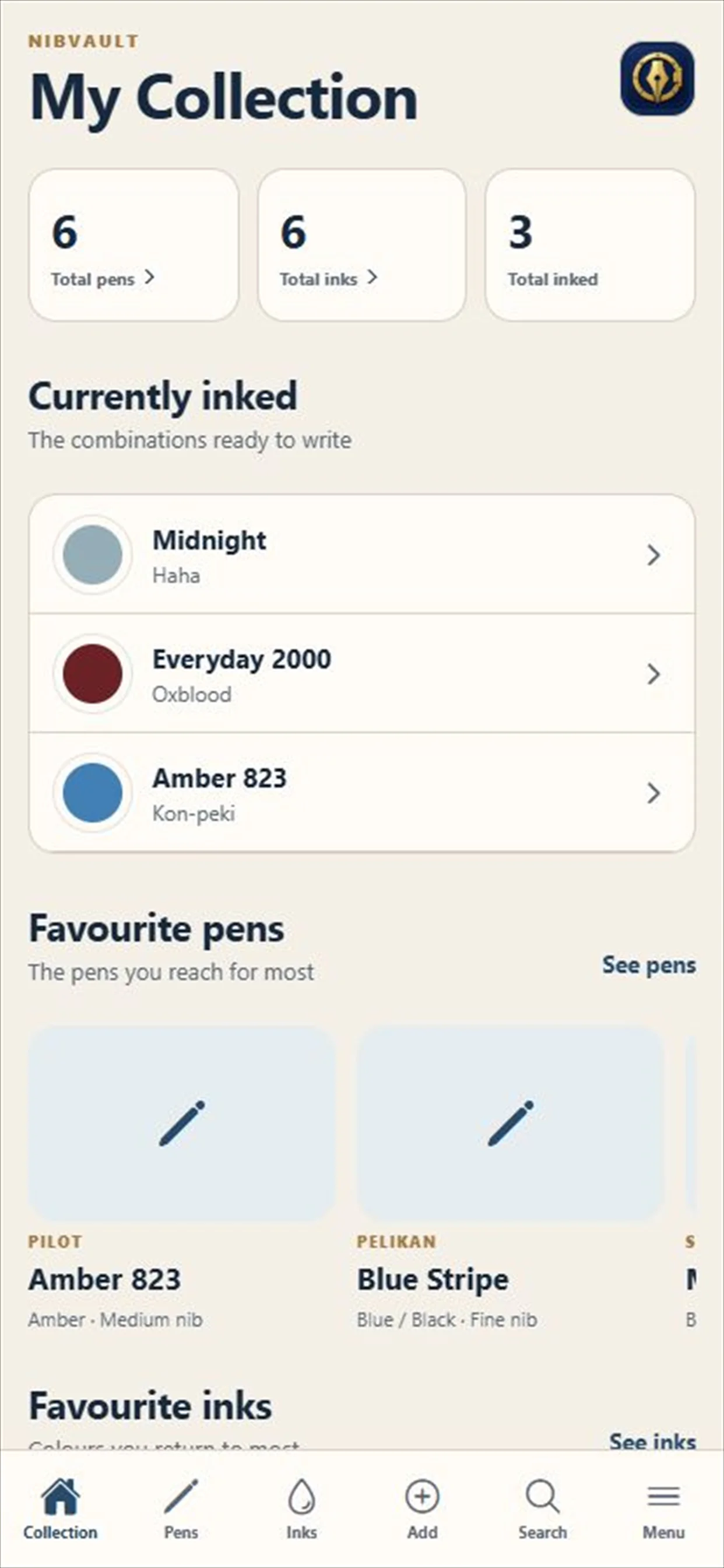
Built for the collection you actually own.
NOW BEING TRIALLED
Your collection, with a little more room.
We are testing an optional website for managing your pens, inks, stock and filling history, with sync to a connected NibVault app.
Check the collection website for current access availability.
The app still works locally without an account. Website use requires sign-in; connecting your app uploads an online copy of your collection and photographs. Your collection is not published in the public catalogue.
Pens
Inks
Fill history
Care
Wishlist
Photographs
Sharing
Backups
Now on Google Play
Your collection. Now on Android.
NibVault is now available for Android phones and tablets. Catalogue pens and inks, remember every fill, plan care and keep your next grail in sight.
Private from the first pen.
No NibVault account, advertising, subscriptions or locked features. Keep your collection on your device, or enable private Google Drive sync between your own Android devices.
Collection, care and everything in between
A cabinet with a memory.
NibVault keeps practical records close without losing the personality, history or small rituals of the collection.
Collection
01
Keep the useful details together.
Record specifications, condition, acquisition details, value, photographs, storage location and a private rating for every pen and ink.
In use
02
Know what is inked and how it writes.
Pair pens with inks, record each fill, rate the combination, add pairing notes and adjust bottle levels as the collection is used.
Care
03
Keep the work with the pen.
Keep cleaning, repair and nib-work histories, then schedule cleaning and rotation reminders for the pens that need attention next.
Physical labels
04
Connect the shelf to the record.
Print private QR labels for boxes, drawers and pen cases. Scan your own for quick actions, or let another collector review the product safely.
Wishlist
05
Plan the exact version you want.
Choose a brand, model and variant from the catalogue, refine the nib and colour, mark a grail and keep target prices or listing links close.
Private and portable
06
Move the collection on your terms.
Use private ecosystem sync, complete backups, CSV or Excel exports and guided spreadsheet import without creating a NibVault account.
A clear record, at a glance
From the broad view to the smallest nib detail.
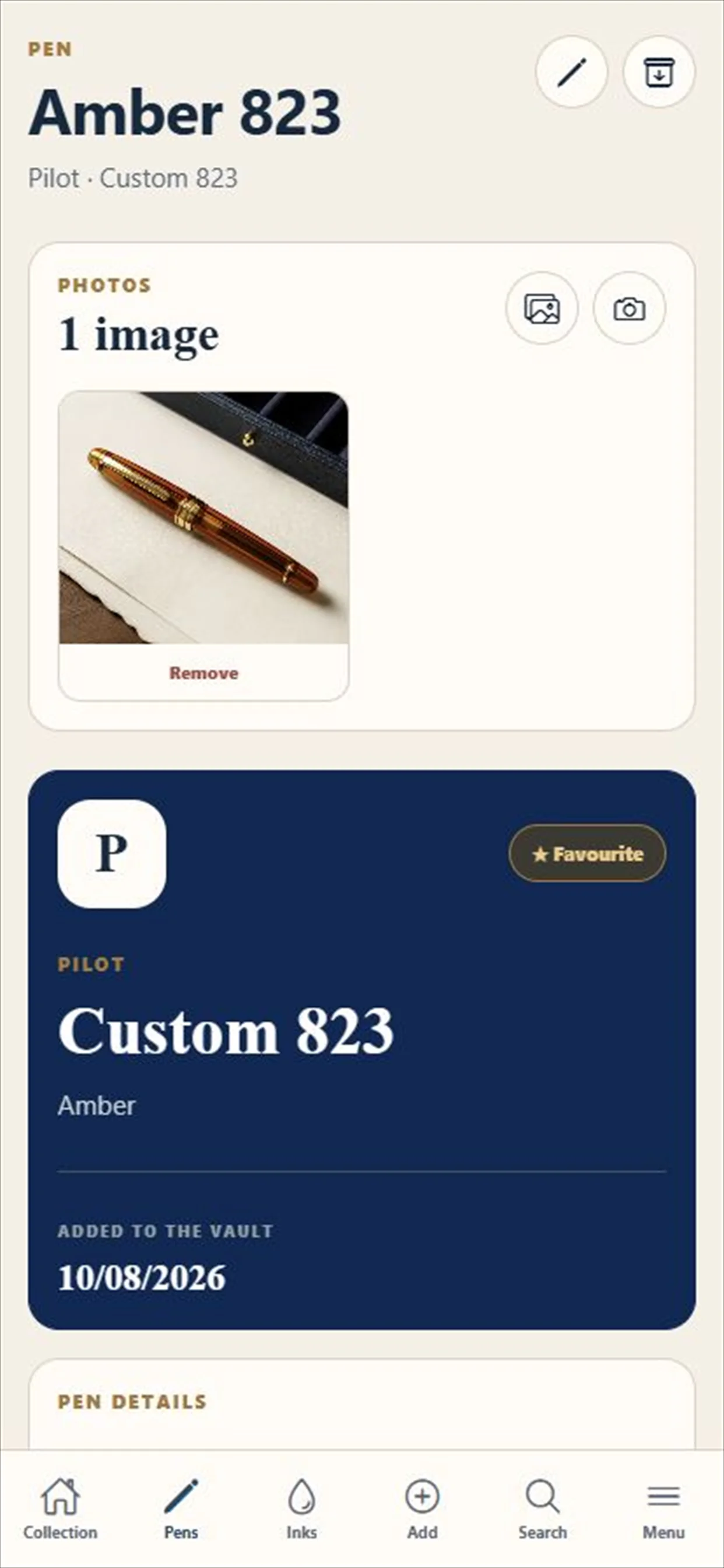
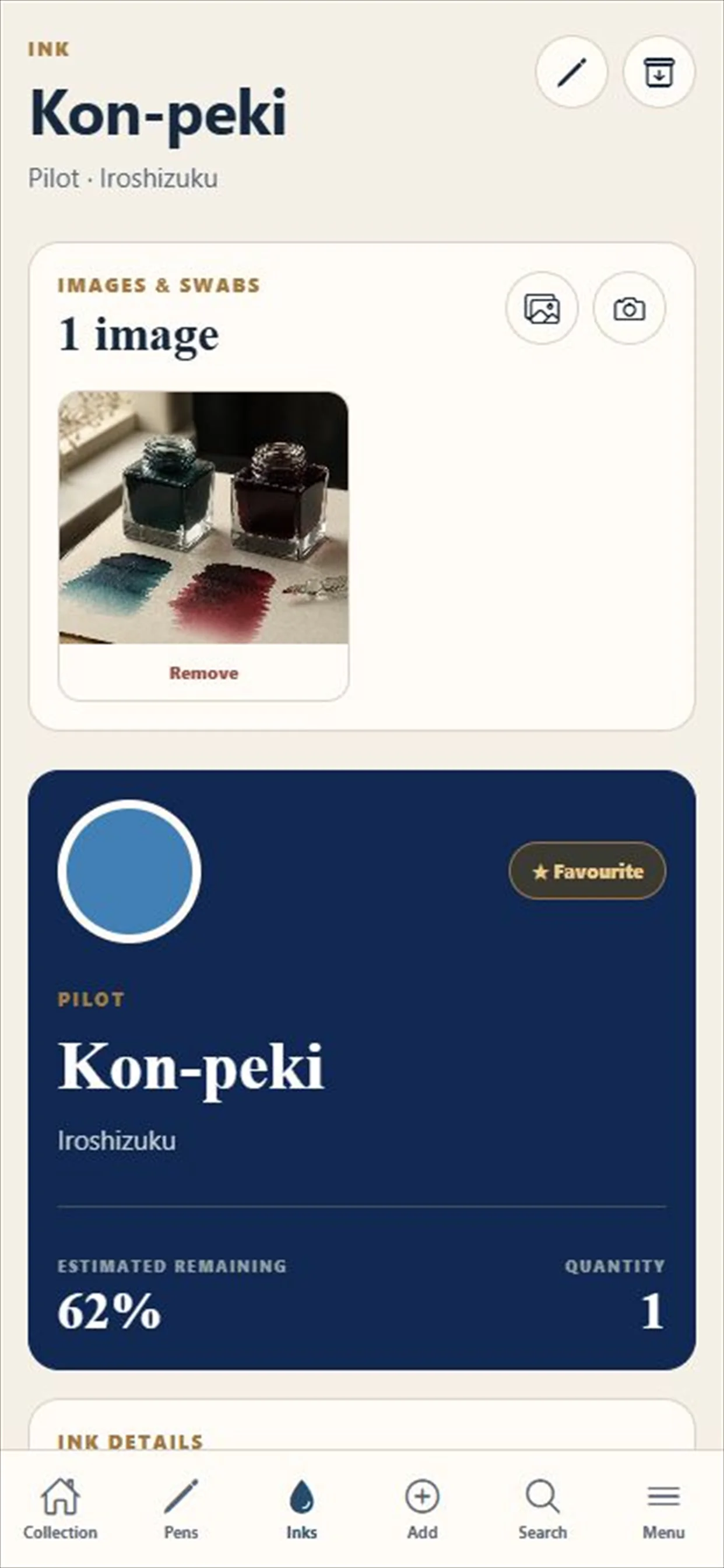
Browse favourites and currently inked pens, then open a record for specifications, photographs, acquisition details, care and fill history.
- Guided catalogue entry or completely custom records
- Collection-cover photographs and full image galleries
- Ink properties, swatches, bottle levels and usage history
- Six colour themes, six app icons and light, dark or device-matched appearance
- Apple accessibility features include VoiceOver, Voice Control, Larger Text and Reduced Motion
- Seven supported languages
Your collection stays yours
Private by design, not by settings.
Your catalogue, photographs, wishlist and care history live locally on your device. Optional ecosystem sync uses your own private iCloud or Google Drive app storage. It never needs a NibVault account, advertising profile or NibVault collection database.
Portable by choice
Back up, export and bring your records with you.
Save a complete NibVault backup to iCloud Drive, Google Drive or another location offered by your device. Export selected records as CSV or Excel, import an existing spreadsheet with column mapping, and preview a backup before restoring it.
Questions, answered plainly
Know where you stand before you start.
The important answers about privacy, backups, moving devices and bringing an existing collection into NibVault.
Does NibVault require an account?
No account is needed to use the app locally. The optional collection website requires sign-in and is being trialled separately.
Where is my collection stored?
Your records are stored locally in the app. Optional personal-cloud sync uses your own iCloud or Google Drive account. Separately, connecting to the collection website stores an online copy on NibVault’s service so you can use it in a browser.
Can I move my collection to another device?
Yes. Export a complete NibVault backup, save it somewhere safe, then restore it on the new device after reviewing its contents.
Can I import the spreadsheet I already use?
Yes. Import CSV or Excel files, choose the relevant sheet and map each source column to a NibVault field. Unwanted columns can be skipped.
NibVault
Give every pen a proper place.
Available on the App Store and Google Play for phones and tablets.